Blog
Habsy’s mobile business card manager helps SMBs and trade show teams turn scanned business cards into CRM-ready, segmented leads with custom fields and tags.
most outreach fails, not from lack of effort but from lack of structure. What’s missing isn’t the contact; it’s the context that turns a name into an opportunity.

You come back from a trade show, conference, or a week of client visits with dozens of new connections: badges scanned, business cards exchanged, and numbers saved in a hurry. The intent is clear — follow up soon.
But as days pass, those contacts blur together. You remember faces, not priorities. Someone wanted a pricing sheet, another asked for a demo, but which one?
By the time the team uploads everything into the CRM, the context is gone. Marketing sends a generic email, sales makes broad calls, and promising leads fade away.
This is how most outreach fails, not from lack of effort but from lack of structure. What’s missing isn’t the contact; it’s the context that turns a name into an opportunity.
That’s where Habsy, the mobile business card manager and business card scanner app, makes the difference. It transforms scattered leads into a clean, segmented, and CRM-ready lead capture system so your next campaign starts with precision, not guesswork.
2. The Hidden Reason Campaigns Underperform
Most teams don’t fail because they lack leads; they fail because they lack clarity and structure. After every event, contact data comes in through photos, spreadsheets, and shared WhatsApp lists. Each captures fragments, but none tells the full story.
Sales teams start their week staring at messy data, unsure who’s worth calling first. Marketing ends up sending the same message to everyone: hot prospects, cold inquiries, and casual visitors alike. Duplicates pile up across tools, and soon no one trusts the reports.
What began as valuable connections turns into confusion and missed revenue. It’s not a pipeline problem; it’s a data discipline problem.
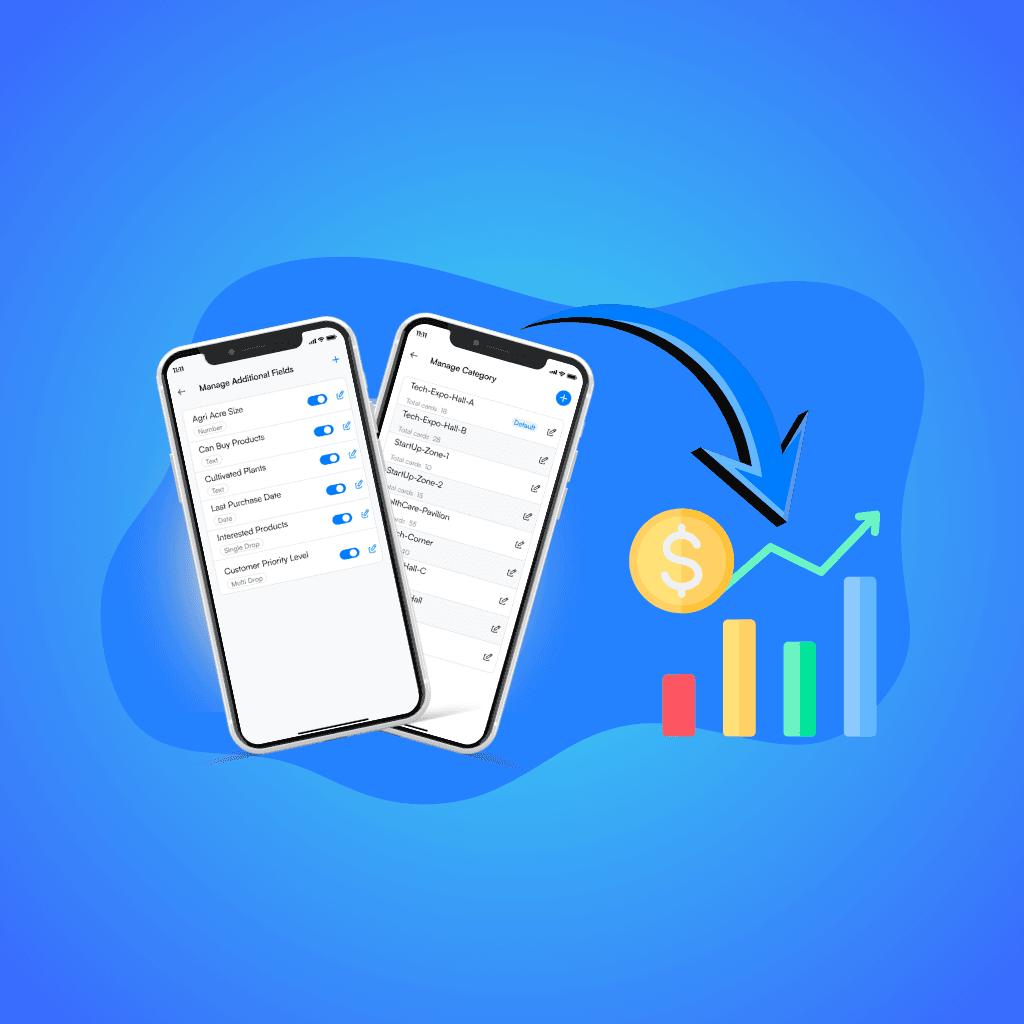
Without structured qualifiers like interest level, product line, or region, even the most advanced CRM becomes a storage box instead of a strategy. That’s why the Habsy business card manager app captures each lead with custom fields and tags from the start to create order where most teams have chaos.

Most contact lists start as clutter: names without meaning and cards without context. The Habsy app changes that the instant you scan. Every contact becomes a structured record instead of an untagged name in a spreadsheet.
When you scan, Habsy prompts you to add the qualifiers that turn raw data into intelligence; for example:
Interest Level: Identify whether the person wanted a demo, pricing, or was exploring options. Sales can focus immediately on high-intent prospects.
Product Line: Track what caught their attention, such as your Pro Series pumps, Software Suite, or EcoLine components. Each lead routes directly to the right team.
Priority: Not every conversation is equal. P1 means act today; P3 means nurture later. Priority tagging eliminates guesswork.
Region or Source/Campaign: Know where your leads came from, such as South India, AutoExpo2025, or online forms. This context proves ROI across regions and events.
You can also add tags such as “Chennai,” “Distributor,” or “Follow-Up Lead.” Tags make it easy to create subsegments for future outreach.
The next day, your team can use Advanced Search and Saved Searches to filter “Demo + P1” leads first, export to HubSpot, Zoho, or Google Sheets through Habsy’s CSV-first workflow, and scan business cards to CSV in seconds. Each file includes contact deduplication before CRM import for clean, ready-to-use data.
Because Habsy works as an offline business card scanner, field teams and booth staff can capture leads anywhere, even without internet. Everything, including custom fields, tags, voice notes, and reminders, syncs automatically once you’re online.
It’s not just data capture; it’s a multilingual business card OCR system that supports regional and global scripts to keep your pipeline moving across markets.
At a manufacturing expo in Pune, a mid-sized supplier finally replaced its manual process. Instead of collecting stacks of cards and spending days sorting, the team used the Habsy Business Card Manager app, a trade show lead capture app built for speed and structure.
Each visitor’s card or badge was scanned in seconds using the event badge scanner app. Reps added context right away: Interest = Demo, Priority = P1, Region = South India. They also recorded short voice notes such as “needs pricing,” “demo Wednesday,” and “partner lead.”
By the next morning, marketing used Saved Searches to find “Demo + P1 + South” and exported that list through Habsy’s CSV-first workflow. Campaigns launched before competitors even uploaded their leads. Sales received the same qualified list inside the CRM, with reminders and context attached.
The result was zero duplicates, cleaner data, and a threefold increase in response rate within 48 hours.
What used to take a week now happens before breakfast. That is what structured capture feels like: fast, focused, and frictionless.
This is how exhibition lead capture software should work: clean, contextual, and connected.
For SMBs, the challenge isn’t generating leads; it’s converting them before momentum fades. With Habsy’s business card scanner app, every contact captured is already segmented, searchable, and export-ready.
Here’s what that means in practice:
- Faster follow-ups: Sales teams act on qualified segments instead of raw lists.
- Better targeting: Marketing tailors campaigns by product, interest, and region.
- Reliable attribution: Each contact carries its source and campaign for reporting.
- Consistent capture: Everyone on the team uses the same schema, even offline.
Whether you’re running booths, managing field sales, or organizing exhibitions, Habsy helps you create an organized, actionable contact base.
It’s not about collecting more leads; it’s about capturing the right ones, once, and using them everywhere.
That’s the power of a digital business cards platform and digital contact management app that makes every record exportable, deduplicated, and CRM-ready.
Leads rarely fail because of intent; they fail because of lost context. Custom fields and tags fix that by giving every contact purpose and direction.
Inside the Habsy Business Card Manager app, each scan becomes more than a record. It’s an actionable, searchable, multilingual contact that syncs seamlessly into your system. Sales knows who to call. Marketing knows who to message. Managers know what’s working.
It’s the difference between a list and a live pipeline, between collecting cards and converting conversations.
With Habsy’s CRM-ready lead capture, you capture once and act everywhere: in your CRM, in Sheets, in campaigns, and in reports.
Capture smart. Segment fast. Convert better.
With the Habsy app, every conversation turns into measurable growth that is clean, structured, and ready by Day-1.
1. What are custom fields in contact management?
Custom fields are structured data points added to a contact, such as interest level, product line, priority, or region. They help teams organize and segment contacts for targeted follow-ups.
2. What is the difference between tags and custom fields?
Custom fields are structured and used for reporting, while tags are flexible labels used for quick categorization like region, campaign, or event type.
3. Why are custom fields important for lead conversion?
Custom fields capture intent and context at the time of interaction, allowing sales and marketing teams to prioritize leads and personalize outreach instead of sending generic messages.
4. How do tags help in segmenting contacts?
Tags allow you to group contacts by categories such as location, industry, or campaign, making it easy to filter and create targeted lists for outreach and campaigns.
5. Can custom fields and tags improve CRM performance?
Yes. When contacts are captured with structured fields and tags, CRMs become actionable systems instead of storage databases, enabling better reporting, segmentation, and follow-ups.
6. What are the most important fields to capture at events?
Start with a simple schema like interest level, product line, priority, source, and owner. These fields help teams quickly identify high-intent leads and act on them faster.
7. How do custom fields help sales teams?
Sales teams can prioritize leads based on intent and urgency, such as demo requests or pricing inquiries, allowing them to focus on high-value opportunities first.
8. How do custom fields help marketing teams?
Marketing teams can segment contacts by product interest, region, or campaign source to send more relevant and personalized campaigns that improve engagement.
9. Can I use custom fields and tags with business card scanning apps?
Yes. Modern apps like Habsy allow you to add custom fields and tags at the time of scanning, turning raw contacts into structured, CRM-ready data instantly.
10. How do structured contacts improve follow-up speed?
When contacts are already segmented and qualified at capture, teams can filter and act on high-priority leads immediately, often within 24 hours of an event.


